
Last Updated on March 14, 2026
Finding the best xtool scanner is not always easy because Xtool offers models at different price levels, from budget-friendly wireless tools to more advanced professional tablets. That wide lineup gives buyers more choices, but it also makes the decision more confusing.
This guide is here to simplify that process. Instead of only listing features, it explains what each major Xtool series is best for, who should buy it, and how to choose the right model based on your needs, budget, and experience. If you have been reading xtool scanner reviews and still feel unsure, this article will help you narrow down the right Xtool scanner with more confidence.
Why Xtool Stands Out in the Diagnostic Scanner Market?
Xtool has built a strong reputation by offering scan tools that sit between basic code readers and expensive professional equipment. In simple terms, the brand appeals to buyers who want more capability than a cheap OBD2 scanner without paying dealer-level prices. That value-focused middle ground is one reason Xtool is often mentioned when people search for the best xtool scanner. One of Xtool’s biggest strengths is variety. The brand offers budget wireless tools, mid-range diagnostic tablets, and more advanced scanners for serious repair work. This makes it easier for different users to find a model that fits their real needs, whether they are casual DIY owners, mobile mechanics, or small shop operators.
Xtool also stands out because many of its scanners include features that buyers usually expect from more expensive tools, such as full-system diagnostics, maintenance resets, bi-directional control, topology mapping, and ECU coding on supported vehicles. Still, buyers should remember that not every model supports every function, and compatibility can vary by vehicle. That is why comparing carefully is still important before choosing the best xtool scanner for long-term use.
Best Xtool Scanner Reviews 2026 (Top 10 Popular Models)
XTOOL D7 Bidirectional Scan Tool
The XTOOL D7 is a mid-range diagnostic tablet built for users who need more than a simple code reader. It is a strong option for advanced DIY users, enthusiasts, and small garages because it offers full-system diagnostics, bi-directional control, and a wide range of service functions in a more professional tablet-style setup.
Technical Specifications Of the XTOOL D7 Scan Tool
| Specification | Short Info |
|---|---|
| Tool Type | Diagnostic tablet |
| Operating System | Android |
| Display Size | 7-inch touchscreen |
| Connection Type | Wireless VCI / Bluetooth |
| Diagnostic Type | Full-system diagnostics |
| Bi-Directional Control | Yes |
| OBD2 Functions | Read/clear codes, live data, freeze frame |
| Auto VIN | Yes |
| Auto Scan | Yes |
| ECU Coding | Supported on compatible vehicles |
| Service Functions | 30+ maintenance functions |
| Oil Reset | Supported |
| EPB Reset | Supported |
| ABS Bleeding | Supported |
| Throttle Relearn | Supported |
| SAS Reset | Supported |
| TPMS Reset | Supported |
| Battery Reset (BMS) | Supported |
| Injector Coding | Supported on compatible vehicles |
| CAN FD Support | Yes |
| FCA Support | Supported on compatible models/vehicles |
| Vehicle Coverage | Broad multi-brand coverage |
| Supported Vehicles | Many 1996+ OBD2 vehicles |
| Best For | Advanced DIY users and small garages |
| Price | 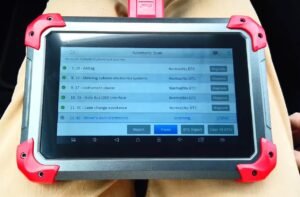 |
Pros
- Strong value for the money
- Full-system diagnostics make it more useful than basic scanners
- Bi-directional control adds real testing capability
- Good fit for advanced DIY users and small workshops
- Tablet-style interface feels more professional than app-only tools
Cons
- Some advanced functions depend on vehicle compatibility
- More expensive than entry-level wireless scanners
- May feel too advanced for very casual users
- Not every buyer needs all of its deeper functions
XTOOL D8S AI-Assisted Bidirectional OBD2 Scanner
The XTOOL D8S is an updated professional diagnostic tablet for users who want stronger hardware, broader modern vehicle support, and a more refined workflow than older mid-range scanners. It is aimed at serious DIY users, independent mechanics, mobile technicians, and smaller repair shops that need deeper diagnostics and more workshop-friendly functionality.
Technical Specifications of the XTOOL D8S OBD2 Scanner
| Specification | Short Info |
|---|---|
| Tool Type | Professional diagnostic tablet |
| Operating System | Android |
| Display Size | 8-inch touchscreen |
| Connection Type | Wireless VCI / Bluetooth |
| Diagnostic Type | Full-system diagnostics |
| Bi-Directional Control | Yes |
| OBD2 Functions | Read/clear codes, live data, freeze frame |
| Auto VIN | Yes |
| Auto Scan | Yes |
| ECU Coding | Supported |
| Topology Mapping | Supported |
| PMI Function | Supported on compatible vehicles |
| Service Functions | 40+ maintenance functions |
| Oil Reset | Supported |
| EPB Reset | Supported |
| ABS Bleeding | Supported |
| Throttle Relearn | Supported |
| SAS Reset | Supported |
| TPMS Reset | Supported |
| Battery Reset (BMS) | Supported |
| Injector Coding | Supported on compatible vehicles |
| CAN FD Support | Yes |
| DoIP Support | Yes |
| FCA AutoAuth | Yes |
| Vehicle Coverage | Broad multi-brand coverage |
| Supported Vehicles | Many 1996+ OBD2 vehicles |
| Best For | Advanced users, mechanics, and small shops |
| Price | 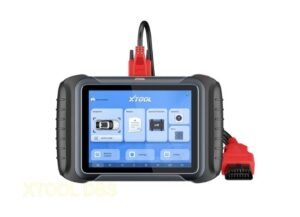 |
Pros
- More updated feel than the regular D8
- Broad service function coverage for maintenance and repair work
- Topology mapping helps with faster system-level diagnostics
- Strong fit for mechanics, mobile technicians, and small workshops
- Better support for newer vehicle communication protocols
Cons
- More expensive than D7 and D8-level value options
- Some advanced functions still depend on vehicle compatibility
- Can be too advanced for casual home users
- Buyers with simple needs may not benefit from the extra cost
XTOOL D7S OBD2 Scanner Diagnostic Tool
The XTOOL D7S is an updated diagnostic tablet for users who want more than entry-level scanning. It is designed for advanced DIY users, enthusiasts, and smaller repair operations that need full-system diagnostics, bi-directional control, and a broad set of service functions in a more polished package than a basic code reader.
Technical Specifications of the XTOOL D7S OBD2 Scanner
| Specification | Short Info |
|---|---|
| Tool Type | Diagnostic tablet |
| Operating System | Android |
| Display Size | 7-inch touchscreen |
| Connection Type | Wireless VCI / Bluetooth |
| Diagnostic Type | Full-system diagnostics |
| Bi-Directional Control | Yes |
| OBD2 Functions | Read/clear codes, live data, freeze frame |
| Auto VIN | Yes |
| Auto Scan | Yes |
| ECU Coding | Supported on compatible vehicles |
| Service Functions | 36+ maintenance functions |
| Oil Reset | Supported |
| EPB Reset | Supported |
| ABS Bleeding | Supported |
| Throttle Relearn | Supported |
| SAS Reset | Supported |
| TPMS Reset | Supported |
| Battery Reset (BMS) | Supported |
| Injector Coding | Supported on compatible vehicles |
| CAN FD Support | Yes |
| DoIP Support | Supported |
| FCA AutoAuth | Supported |
| Vehicle Coverage | Broad multi-brand coverage |
| Supported Vehicles | Many 1996+ OBD2 vehicles |
| Best For | Advanced DIY users and small garages |
| Price | 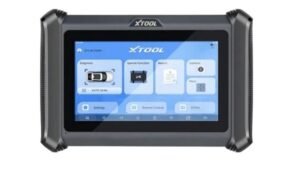 |
Pros
- More updated overall feel than lower-tier options
- Full-system diagnostics and bi-directional control are strong for the price
- Broad service function coverage makes it useful for regular maintenance work
- Good fit for advanced DIY users and smaller workshops
- Better long-term value feel for buyers who want a more refined option
Cons
- Costs more than basic wireless scanners
- Some advanced features still depend on vehicle compatibility
- May be more than casual users actually need
- Buyers on a tight budget may prefer a lower-cost model
XTOOL D8W AI-Assisted Bidirectional Scan Tool
The XTOOL D8W is a professional diagnostic tablet designed for users who want deeper system access, modern protocol support, and a more workshop-ready experience. It is a strong option for independent mechanics, mobile technicians, and repair shops that need a capable scanner for regular diagnostic and service work.
Technical Specifications of the XTOOL D8W Scan Tool
| Specification | Short Info |
|---|---|
| Tool Type | Professional diagnostic tablet |
| Operating System | Android |
| Display Size | 8-inch touchscreen |
| Connection Type | Wireless VCI / WiFi |
| Diagnostic Type | Full-system diagnostics |
| Bi-Directional Control | Yes |
| OBD2 Functions | Read/clear codes, live data, freeze frame |
| Auto VIN | Yes |
| Auto Scan | Yes |
| ECU Coding | Supported |
| Topology Mapping | Supported |
| PMI Function | Supported on compatible vehicles |
| Service Functions | 40+ maintenance functions |
| Oil Reset | Supported |
| EPB Reset | Supported |
| ABS Bleeding | Supported |
| Throttle Relearn | Supported |
| SAS Reset | Supported |
| TPMS Reset | Supported |
| Battery Reset (BMS) | Supported |
| Injector Coding | Supported on compatible vehicles |
| CAN FD Support | Yes |
| DoIP Support | Yes |
| FCA AutoAuth | Yes |
| Vehicle Coverage | Broad multi-brand coverage |
| Supported Vehicles | Many 1996+ OBD2 vehicles |
| Best For | Mechanics, mobile technicians, and repair shops |
| Price | 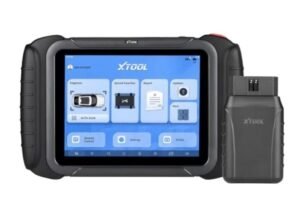 |
Pros
- Strong workshop-focused diagnostic capability
- Wireless workflow feels more convenient during regular use
- Topology mapping and ECU coding add more professional depth
- Broad service function coverage helps with daily repair tasks
- Good choice for users who want a more complete pro-level scanner
Cons
- Higher price than mid-range scanners
- Some advanced functions still depend on vehicle compatibility
- More tool than most casual DIY users really need
- Buyers mainly wanting simple scans may not use its full value
XTOOL Anyscan A30 OBD2 Scanner Diagnostic Tool
The XTOOL A30 is a compact wireless OBD2 scanner designed for DIY users who want more convenience than a basic handheld code reader. It connects by Bluetooth and focuses on full-system diagnostics, active tests, and app-based use, which makes it attractive for casual users and budget-conscious buyers. XTOOL’s product page positions it as an all-systems tool with bi-directional control rather than just a simple code reader.
Technical Specifications of the XTOOL A30 OBD2 Scanner
| Specification | Short Info |
|---|---|
| Connection Type | Bluetooth wireless |
| Diagnostic Type | Full-system diagnostics |
| Bi-Directional Control | Yes |
| OBD2 Functions | Read/clear codes, live data, freeze frame |
| Auto VIN | Yes |
| Auto Scan | Yes |
| Service Functions | 15+ reset functions |
| ABS Bleeding | Supported |
| Oil Reset | Supported |
| EPB Reset | Supported |
| Throttle Relearn | Supported |
| Injector Coding | Supported on compatible vehicles |
| TPMS Reset | Supported |
| SAS Reset | Supported |
| Battery Reset | Supported |
| Vehicle Coverage | 70+ car brands |
| Supported Vehicles | Many 1996+ vehicles |
| Use Style | App-based wireless scanning |
| Best For | DIY users and budget buyers |
| Price | 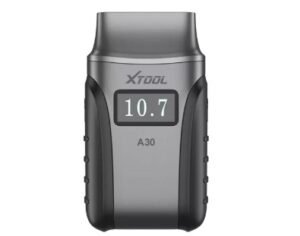 |
XTOOL’s official A30 product page highlights full-system diagnostics across modules like PCM, TCM, ABS, SRS, BCM, IMMO, BMS, TPMS, SAS, fuel, light, wiper, and A/C systems. It also says the A30 Pro supports bi-directional control / active tests, which is one of the main reasons this model stands out in the lower-price range.
Pros
- Wireless Bluetooth design is more convenient than a basic wired code reader.
- Full-system diagnostics make it more useful than entry-level OBD2 tools.
- Bi-directional control adds real testing value for supported vehicles.
- Good fit for DIY users who want a lower-cost advanced scanner.
Cons
- It is still more limited than XTOOL’s D7, D8, or D9 tablet-style scanners in overall professional workflow. This is an inference based on XTOOL positioning the D-series for advanced diagnostics and workshops.
- Advanced functions depend on vehicle compatibility, so not every feature works on every car.
- App-based scanners may feel less comfortable for long diagnostic sessions than larger dedicated tablets. This is a practical inference from the product form factor.
XTOOL D9S PRO Scan Tool with ECU Programming/Coding
The XTOOL D9S Pro is a premium wireless diagnostic tablet built for mechanics, workshops, and advanced users who want more than standard scan-tool functions. XTOOL describes it as an advanced model with ECU programming, FCA AutoAuth, intelligent topology mapping, 42+ service functions, key programming support, and wireless operation, which places it clearly above mid-range options in the lineup.
Technical Specifications of the XTOOL D9S PRO Scan Tool
| Specification | Short Info |
|---|---|
| Tool Type | Premium wireless diagnostic tablet |
| Operating System | Android 10 |
| Diagnostic Type | Full-system diagnostics |
| Bi-Directional Control | Yes |
| ECU Programming | Supported |
| ECU Coding | Supported |
| Key Programming | Supported |
| Topology Mapping | Supported |
| Service Functions | 42+ functions |
| Auto VIN | Supported |
| Auto Scan | Supported |
| OBD2 Functions | Read/clear codes, live data, freeze frame |
| FCA AutoAuth | Supported |
| DoIP Support | Supported |
| CAN FD Support | Supported |
| Connection Type | Wireless / WiFi |
| Vehicle Coverage | Broad multi-brand coverage |
| Best For | Mechanics, workshops, and advanced users |
| Price | 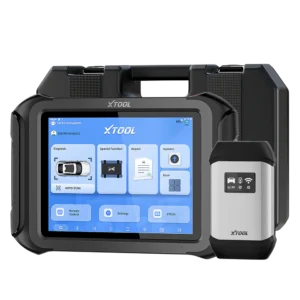 |
Pros
- ECU programming and coding support make it much more capable than a typical mid-range scanner.
- Intelligent topology mapping helps users see module relationships more clearly during diagnostics.
- 42+ service functions give it strong maintenance and repair usefulness.
- FCA AutoAuth, DoIP, and CAN FD support make it more relevant for newer vehicles and modern communication protocols.
- XTOOL positions the D9S Pro as one of the top models in its D-series range for professional diagnostics.
Cons
- It sits in the higher-price tier of the XTOOL lineup, so it may not be the best fit for casual users.
- Some advanced functions still depend on vehicle compatibility and VIN support, especially for features like FCA diagnostics and ECU programming.
- It can be too advanced for basic home users who mainly need code reading and light maintenance functions. This is an inference based on its feature set and XTOOL’s workshop-focused positioning.
- Buyers who do not need programming, topology, or key functions may not fully benefit from paying for this level of tool. This is an inference based on the listed feature mix.
XTOOL D9S Topology Mapping OBD2 Scanner
The XTOOL D9S is a premium diagnostic tablet designed for users who want more advanced hardware, broader service coverage, and a more professional workflow than mid-range scan tools usually offer. XTOOL presents the D9S as a bi-directional diagnostic tool with topology mapping, ECU coding, 40+ special functions, CAN FD, and DoIP support, which makes it a strong fit for advanced users, mobile technicians, and repair shops.
Technical Specifications of the XTOOL D9S OBD2 Scanner
| Specification | Short Info |
|---|---|
| Tool Type | Professional diagnostic tablet |
| Operating System | Android 10 |
| Display Size | 9.7-inch touchscreen |
| RAM / Storage | 4GB RAM / 128GB storage |
| Battery Capacity | 6400mAh |
| Diagnostic Type | Full-system diagnostics |
| Bi-Directional Control | Yes |
| ECU Coding | Supported |
| Topology Mapping | Supported |
| Service Functions | 40+ special functions |
| Auto VIN | Supported |
| Auto Scan | Supported |
| OBD2 Functions | Read/clear codes, live data, freeze frame |
| DoIP Support | Yes |
| CAN FD Support | Yes |
| FCA AutoAuth | Supported |
| Vehicle Coverage | Broad multi-brand coverage |
| Best For | Advanced users, mechanics, and repair shops |
| Price | 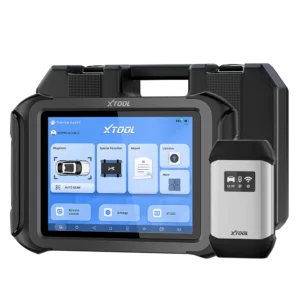 |
Pros
- 4GB RAM and 128GB storage give it a more premium hardware setup than many lower-tier scanners.
- Topology mapping and ECU coding make it more useful for deeper diagnostic work.
- 40+ special functions help with regular maintenance and workshop tasks.
- CAN FD, DoIP, and FCA AutoAuth improve support for newer vehicles.
- The 9.7-inch screen gives a more comfortable workflow during longer diagnostic sessions.
Cons
- It is more expensive than mid-range XTOOL models, based on its premium positioning in the lineup.
- Some advanced functions still depend on vehicle compatibility.
- It may be too advanced for casual DIY users who only need basic diagnostics. This is an inference from its feature set and positioning.
- Buyers who do not need topology mapping, ECU coding, or advanced service functions may not use its full value. This is an inference based on the listed features.
XTOOL Anyscan A30M OBD2 Scanner Kit
The XTOOL A30M is a compact wireless OBD2 scanner designed for users who want a portable diagnostic tool with more features than a basic code reader. It connects to a smartphone or tablet through Bluetooth and allows users to perform system diagnostics, active tests, and common service functions.
Technical Specifications of the XTOOL A30M OBD2 Scanner
| Specification | Short Info |
|---|---|
| Connection Type | Bluetooth wireless |
| Device Compatibility | Android / iOS mobile devices |
| Diagnostic Type | Full-system diagnostics |
| Bi-Directional Control | Yes |
| OBD2 Functions | Read & clear codes, live data, freeze frame |
| Auto VIN | Yes |
| Auto Scan | Yes |
| Service Functions | 15+ maintenance resets |
| Oil Reset | Supported |
| EPB Reset | Supported |
| Throttle Relearn | Supported |
| ABS Bleeding | Supported |
| Battery Reset (BMS) | Supported |
| TPMS Reset | Supported |
| SAS Reset | Supported |
| Injector Coding | Supported on compatible vehicles |
| Vehicle Coverage | 70+ vehicle brands |
| Supported Vehicles | Many 1996+ OBD2 vehicles |
| Use Style | App-based diagnostics |
| Best For | DIY users and mobile diagnostics |
| Price | 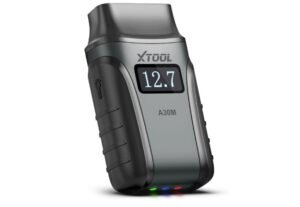 |
Pros
- Compact and easy to carry
- Wireless Bluetooth convenience
- Supports multiple service functions
- Works with mobile apps for quick diagnostics
Cons
- Less powerful than tablet-based scanners
- Some advanced functions depend on vehicle compatibility
- Mobile device required for operation
Software, Updates, and Subscription Model
Software and updates matter more than many buyers expect. A scanner can look impressive on the first day, but long-term value depends heavily on whether it stays current, supports new vehicles, and continues to feel reliable over time. That is one reason the search for the best xtool scanner should never focus only on hardware. Xtool’s software experience is one of the reasons the brand remains competitive. Many users like the tablet-style interface found on its higher-end tools, because it feels more modern and easier to navigate than older menu-based scan tools. A clearer interface can save time during diagnostics, especially if you are using the tool often or moving between multiple vehicles.
Updates are another major factor. Different Xtool models may include a limited free update period, after which ongoing software support may require additional cost. Buyers should pay close attention here. The phrase “free updates” sounds great in marketing, but it does not always mean unlimited lifetime support. In many xtool reviews, this is where buyers discover the difference between short-term excitement and long-term ownership value. For someone trying to choose the best xtool scanner, the real question is whether future updates matter for the way they use the tool. If you work on newer vehicles or plan to keep the scanner for years, updates are a bigger deal. If you only work on a few older personal vehicles, software support may feel less critical.
Real-World Use Cases and Limitations
On paper, many scan tools look powerful. In real life, things are more nuanced. That is why smart buyers read beyond the marketing and look for actual strengths and limitations before choosing the best xtool scanner.
Where Xtool Scanners Excel
Xtool scanners usually perform best in the area between cheap consumer tools and very expensive professional systems. They are strong when buyers want real diagnostic depth, useful service functions, and better workflow without paying extreme premium prices. This is especially true in the D7 and D8 ranges.
They also tend to appeal to users who want more control over vehicle maintenance and troubleshooting. Full-system scans, service resets, active tests, and broader access than simple code readers make these tools far more useful in practical ownership. That is a big reason why the brand continues to come up in discussions about the best xtool scanner.
Limitations to Consider
Even the strongest Xtool model will not be perfect for every buyer. Compatibility depends on the vehicle. Some functions are only available on supported systems. Certain advanced features may work well on one brand and be more limited on another. Key programming support is also not universal across the lineup.
Another limitation is buyer expectation. Some users read marketing language and assume one scanner can replace dealer-level equipment in every situation. That is rarely the right way to think about it. Xtool scanners can be impressive, but they still need to be matched realistically to the job.
Who Should Buy an Xtool Scanner?
Choosing the best xtool scanner becomes much easier when you first understand what kind of user you are. Not every Xtool model is designed for the same purpose. Some are better for simple home use, while others make more sense for regular diagnostic work or shop use. That is why the best xtool scanner for one person may not be the right choice for another.
DIY Enthusiasts (Occasional Use)
If you mainly work on your own vehicles and only use a scanner occasionally, you probably do not need the most advanced Xtool model. A wireless option like the A30 series or a value-focused mid-range tool is often enough. These models are usually a good fit for reading codes, checking live data, and handling basic maintenance-related tasks without spending too much.
For this group, the best xtool scanner is usually the one that keeps cost under control while still offering more than a basic code reader. Casual users often benefit more from simplicity and value than from advanced workshop-level features they may rarely use.
Independent Mechanics or Mobile Technicians
Independent mechanics and mobile technicians usually need stronger functions, better workflow, and more confidence across different vehicles. This group often gets the most value from the D7 or D8 class, because these models are better suited for deeper diagnostics, more service functions, and more serious troubleshooting.
For them, the best xtool scanner is often one that balances professional usefulness with cost efficiency. It should be capable enough for regular work without forcing them to overspend on features they may not fully need.
Fleet Managers or Repair Shops
Fleet managers and busy repair shops usually need broader vehicle coverage, deeper functions, and smoother daily workflow. They are more likely to value larger screens, stronger hardware, and a scanner that feels more complete during repeated use.
In that context, higher-tier Xtool tools often make more sense than entry-level wireless models. For these users, the best xtool scanner is usually the one that delivers stronger reliability, more complete system access, and a better overall workflow for regular diagnostic use.
Alternatives to Xtool Scanners
Xtool is not the only brand worth considering. Buyers often compare it with Autel, Launch, Foxwell, and Topdon. Each brand has its own strengths in software style, update policy, compatibility, and feature depth.
Still, Xtool remains attractive because it often sits in a useful middle ground. It tries to deliver strong feature access without feeling as overpriced as some better-known competitors. That is why so many buyers searching for the best xtool scanner keep coming back to Xtool even after looking at alternatives.
Common Misconceptions About Xtool Scanners
“Xtool Replaces Dealer Tools Completely”
This is one of the biggest misunderstandings. Xtool scanners can do a lot, but they do not automatically replace every dealer-level function on every vehicle.
“All Models Support Key Programming”
Not true. Support varies. Buyers should always verify exact compatibility and function coverage before buying.
“Free Updates Mean Forever”
This is another common misunderstanding. Free updates often apply only for a limited period. This matters if you want the XTool scanner for long-term ownership.
How to Verify Compatibility Before Buying
Before spending money, always verify compatibility carefully. This step is one of the most important parts of choosing the best xtool scanner. Do not assume that because one model supports a feature in general, it will support that exact feature on your specific vehicle.
Start by checking the vehicle make, model, and year. Then review the supported functions for that vehicle, not just the scanner’s overall feature list. This is especially important for buyers who care about advanced functions like key programming, ECU coding, bidirectional tests, battery registration, injector coding, or topology-related workflow.
It is also smart to think about future needs. The scanner that seems good enough today may feel limited later if you plan to work on more vehicles or do more advanced repairs. That is why reading best xtool scanner reviews with a long-term mindset is useful. The right tool should fit not only your current vehicle, but also your likely use over the next few years.
Final Recommendation: Choosing the Right Xtool Scanner
There is no single answer for everyone. The best xtool scanner depends on how often you plan to use it, the type of vehicles you work on, and how deep you need your diagnostics to go. Choosing the right model is less about buying the most expensive tool and more about finding one that matches your real needs. For casual users who want simple wireless diagnostics, the A30 series can be a practical option. If you want stronger features and better overall value, the D7 series is often one of the most balanced choices. For mechanics or workshops that need deeper diagnostics and a more professional workflow, the D8 class usually makes more sense.
In the end, the best xtool scanner is not necessarily the one with the most features, but the one that offers the right balance of capability, price, and long-term usefulness for your situation.
Frequently Asked Questions
What is the best Xtool scanner for beginners?
For many beginners, a simpler wireless option or a value-focused mid-range model is the best starting point. The ideal choice depends on budget and how serious the user is about learning diagnostics.
Is Xtool good for professional use?
Yes, some Xtool models are suitable for professional or semi-professional work, especially in smaller shops and mobile repair setups.
Do all Xtool scanners support bidirectional control?
No. Support varies by model. Higher-tier models are more likely to include stronger active test and bidirectional capabilities.
Are Xtool scanners worth the money?
They often are, especially for users who want more than a basic code reader but do not want to jump straight to very high-end pricing.
How do I choose the best Xtool scanner?
Think about vehicle compatibility, diagnostic depth, service functions, update support, and how often you will use it. The best xtool scanner is the one that matches real use, not just the biggest feature list.

Kevin Nicholas is an automotive technician who is a genius at software and hardware-related issues. He manually tested more than a hundred OBD scanners and gave his honest opinion on whether the device was worth the money or not. His in-depth OBD review articles help people choose the right product, whether it is a European, American, or Asian vehicle. He completed his Automotive Specialized Training Course at Universal Technical Institute and has more than 15 years of experience in the field.